
In short
- Give each wine and vintage one row, and record the bottle count and exact storage location.
- Use real date cells for the drinking window so a formula can flag bottles to open now.
- Update the sheet when wine comes in or goes out, then reconcile it with your shelves monthly.
- If the upkeep becomes a chore, Oeni and InVintory can import spreadsheets.
A wine inventory spreadsheet can be as simple as one row per wine in Excel or Google Sheets. Record what you have, where each bottle sits, and when you expect to drink it. A filter then turns that list into a practical "drink now" view.
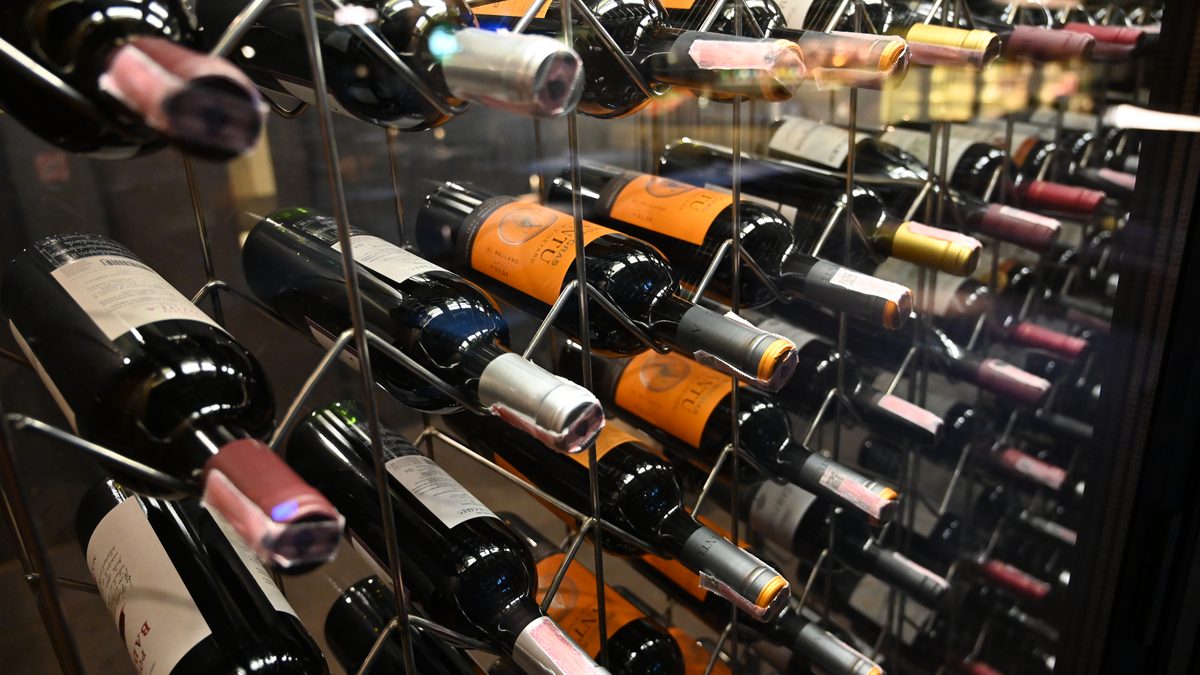
You can build this for a few cases in an apartment wine fridge or for racks in a basement. The setup below uses a fictional Oregon Pinot Noir and shows how to handle a Napa Cabernet without inventing a market price.
Oeni is a paying partner of Vinabox. Oeni did not review or approve this page.
Why use a spreadsheet for wine cellar inventory?
A wine cellar spreadsheet is useful when you want a record you can shape around your own storage. A collector with one wine fridge might need only a shelf number. Someone using a basement rack and an upstairs fridge can name both locations without adopting another person's filing system. Excel and Google Sheets also make it easy to sort by vintage, region, quantity, or drinking date.
Start small. Record the bottles you actually own, not every wine you might buy. You can add purchase details later. A blank purchase price is better than a guessed dollar figure, and the total you paid for bottles still on hand is different from their current market value. Keep a copy of the sheet somewhere you can recover it, especially if more than one person updates the cellar.
Build the columns, then enter your first row
Put these headers in row 1, freeze that row, and turn on a filter. The sample entries below describe one imaginary 2022 Willamette Valley Pinot Noir from Oregon. Its drinking dates show the format only; they are not a recommendation for a real bottle. Leave the price cell empty unless you know what you paid.
| Column | Header | Example row |
|---|---|---|
| A | Producer | Example Winery (fictional) |
| B | Wine | Willamette Valley Pinot Noir |
| C | Vintage | 2022 |
| D | Region or appellation | Willamette Valley, Oregon |
| E | Color or style | Red |
| F | Bottle size | 750 mL (25.4 fl oz) |
| G | Quantity | 3 bottles |
| H | Location | Wine fridge, shelf 2 |
| I | Purchase price ($) | Leave blank |
| J | Purchase date | 10/15/2026 |
| K | Shop | Neighborhood wine shop |
| L | Drink from | 01/01/2028 |
| M | Drink through | 12/31/2032 |
| N | Notes | Open one for a family dinner |
Use a number in the actual Quantity cell, so G2 contains 3, not the text "3 bottles." Format the price column as U.S. dollars and leave unknown prices blank. Enter dates as date values rather than typed labels such as "fall 2028." A 2021 Napa Valley Cabernet Sauvignon gets its own row. If bottles of the same wine occupy two locations, split them into two rows so each quantity has a precise place.
Add a drink-now formula, filters, and color
Use column O for Status. In O2, paste the formula below, then fill it down. It works with the column order above in current U.S. versions of Excel and Google Sheets. Columns L and M must contain actual dates, and G must contain a number.
=IF(OR(L2="",M2=""),"Set window",IF(L2>M2,"Check dates",IF(G2<=0,"Out of stock",IF(TODAY()<L2,"Hold",IF(TODAY()<=M2,"Drink now","Review window")))))
Filter Status to "Drink now" when you are choosing a bottle. The formula marks a wine "Review window" after its end date; that is a prompt to reassess it, not a verdict that the wine is spoiled. If you want a count of bottles currently flagged to drink, put =SUMIF(O2:O500,"Drink now",G2:G500) in a cell outside the inventory table. =SUM(G2:G500) gives the total bottle count.
For a visual cue, apply conditional formatting to A2:O500 using =$O2="Drink now" and a light fill. Add a second rule for =$O2="Review window". Keep the words in the formula and the filter identical. You can also filter Location to see only the bottles in a particular fridge or rack.
Set drinking dates bottle by bottle. Typical ranges after the vintage can be 3 to 10 years for good Pinot Noir and often 10 to 20 years for top Napa Cabernet, but producer advice comes first. Vintage and storage can move either range. Use our drinking window guide as a starting point, then record where your own dates came from in Notes.
Keep the inventory accurate with a monthly routine
Update Quantity when you open a bottle. If a case arrives from a winery or wine club, add it when it arrives. A monthly check catches the bottles you forgot to record. Take the sheet to the wine fridge or basement rack and compare each row with the physical bottles.
- Count each wine and vintage, including bottles moved between the fridge and a closet or rack. Fix the quantity and location fields immediately.
- Sort by "Drink through," then check the "Drink now" and "Review window" statuses. Choose a bottle for a meal rather than assuming every older vintage needs urgent attention.
- Check purchase records from your local wine shop if you want a reliable cost history. Leave gifts or unknown prices blank.
- Save a backup copy and note any storage event that might change your expectations, such as a warm spell or a fridge outage. Our wine storage temperature guide explains what to monitor.
If a bottle is gone, set its quantity to zero or move the row to a separate consumed sheet. Using one method consistently keeps the current bottle total meaningful. Resist adding columns you will never maintain; an accurate location and quantity matter more than a half-filled tasting log.
Know where a spreadsheet runs out of room
A sheet only knows what you enter. It will not notice that a bottle left the rack, identify a mislabeled vintage, or judge how a hot apartment affected a drinking window. A formula can compare dates, but it cannot taste wine. Review the underlying window whenever a producer gives updated advice or your storage changes.
It also takes discipline to keep names consistent. "Napa Cab" and "Napa Cabernet Sauvignon" may sort as different wines, while a typed quantity such as "three" will break the counts. Use consistent names, date formatting, and whole-number quantities. If two people manage the collection, agree on who updates a bottle after it is opened. For a growing collection, manually locating bottles and maintaining these rules can become the main burden.
Move your wine cellar spreadsheet to an app
Before importing, make a copy of the sheet. Remove duplicate rows, check vintages and quantities, and make sure each location means something you can find in the room. Keep your original file until you have checked the imported inventory against a few real bottles.
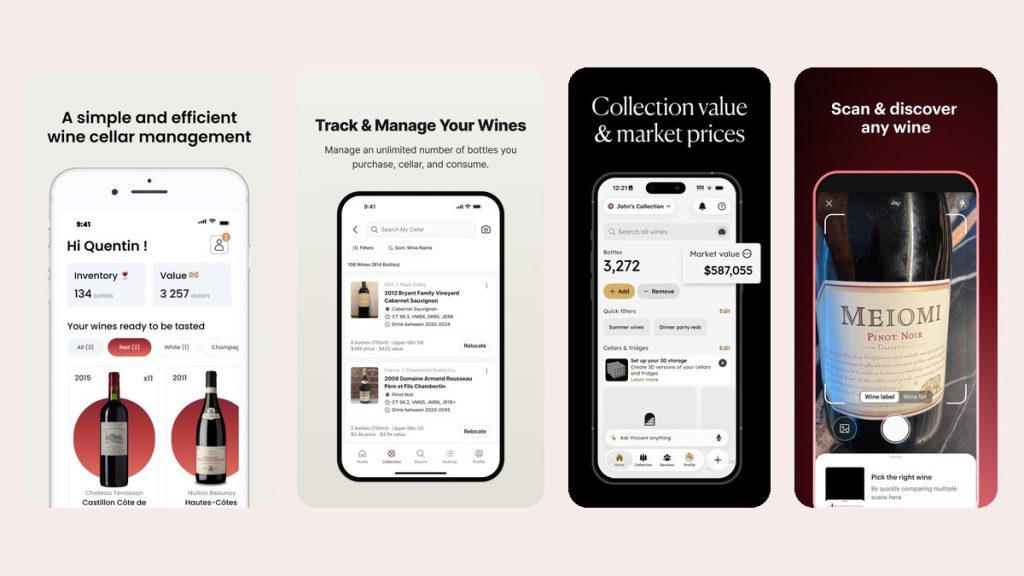
For most home cellars, our recommended next step is Oeni. Its 3D cellar view can show racks, columns, bottle positions, or a wine fridge, and it has a web version as well as iPhone, iPad, and Android apps. It imports Excel data using Oeni's template. Oeni Plus adds aging phases, maturity alerts, and a market value for each bottle and the whole cellar that is updated monthly. Vinabox's founder has used Oeni with his own cellar in France since September 2026.
The limits matter. Many of Oeni's most useful features are in Oeni Plus; check the current price in the app or store. A market value can be unavailable when Oeni finds no online price. Its aging phases are generic estimates and do not know whether your bottles sat in a steady cellar or a warm room. The free part lets you add bottles and use basic wine sheets, and Oeni Plus has a 30-day trial once per person.
InVintory is another spreadsheet-friendly route. Its free plan accepts spreadsheet imports, allows unlimited bottles and up to 10 cellars or wine fridges, and offers CSV export. Its paid tier adds 3D cellars and total collection value; check the current price in the app. CellarTracker supports storage locations and community and professional drinking windows, but has no 3D view. Vivino's Cellar lets you record quantities and a drinking window you enter yourself, but has no rack locations or cellar value. These descriptions of InVintory, CellarTracker, and Vivino come from their store listings and websites; Vinabox has not tested those apps.
Related guides
- Wine cellar management: track, organize, and drink on time
- Best wine cellar apps compared
- Our Oeni review on a real cellar
Sources
Images: featured photo by PattayaPatrol, CC BY-SA 4.0, Wikimedia Commons (cropped); app screens from the official App Store listings.
Wine inventory spreadsheet FAQ
Should I put every bottle on its own row?
Usually, no. Group bottles of the same wine and vintage in one row with a quantity. Make separate rows if they have different storage locations or if you need to preserve separate purchase records. Then a filter can show exactly where each group sits.
Can Google Sheets tell me which wine is ready to drink?
It can filter wines whose entered drinking window includes today's date. It cannot determine the window for you. Use producer guidance first, keep the dates in real date cells, and treat "Review window" as a reason to check the wine rather than throw it out.
What if I do not know a wine's drinking window?
Leave the start and end dates blank until you have a defensible estimate. The Status formula will show "Set window." Ask the producer or look up guidance for that wine and vintage; a broad style range is only a starting point.
How do I track bottles in a wine fridge and a basement?
Give each place a clear Location label, such as "Fridge, shelf 2" or "Basement, rack B4." If the same wine is split between them, use separate rows and quantities. Update the location when you move the bottles.
Can I import my spreadsheet into Oeni or InVintory?
Yes. Oeni imports Excel data with its own template, while InVintory accepts spreadsheet imports on its free plan. Clean up duplicate wines and inconsistent dates before importing, then verify bottle counts in the app.