
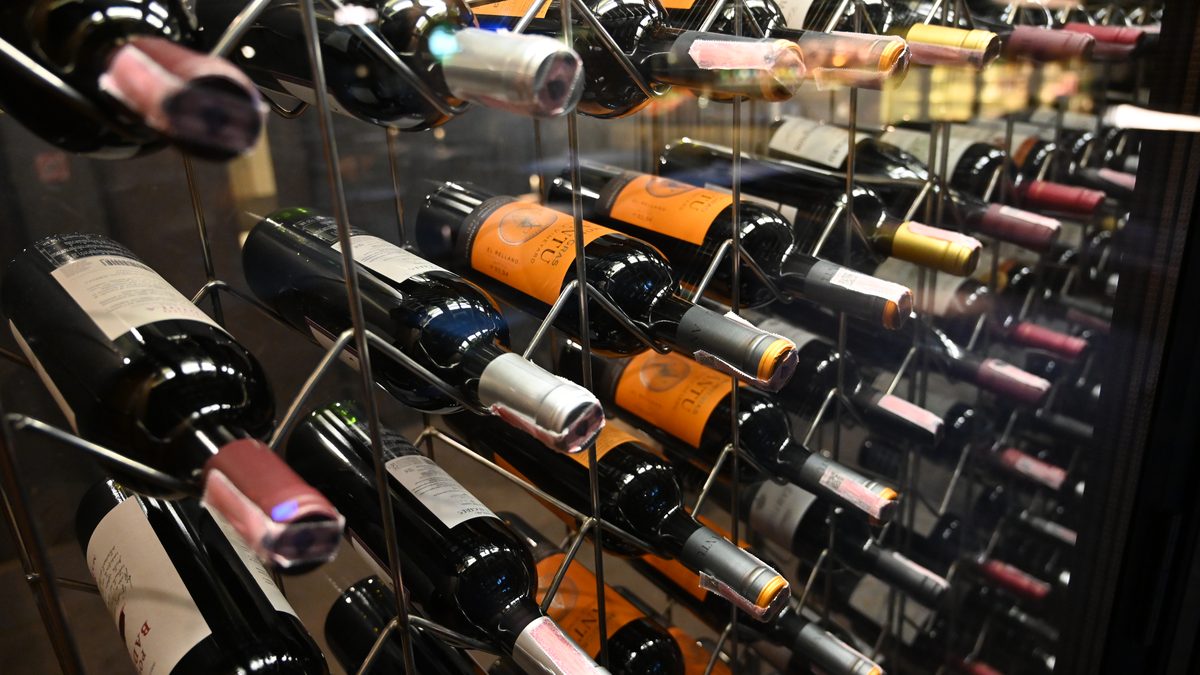
In short
- Managing a wine cellar comes down to four questions: what you own, where each bottle sits, when to open it and what it is worth.
- Below about 50 bottles, a spreadsheet or a notebook is enough. Past that, or once bottles start passing their peak unnoticed, an app saves time.
- Sort the physical cellar by drinking window rather than by region, and keep a "drink now" shelf.
- A ten-minute monthly routine keeps any system accurate. Without it, every tool drifts.
A wine collection rarely fails because of storage. It fails because the owner forgets what is there: the case bought on release that was never opened, the bottle saved for an occasion that passed, the white that needed drinking three years ago. Cellar management is the habit that prevents this, whether your "cellar" is a basement room, a 50-bottle wine fridge or a closet in an apartment.
This guide explains the method first, then the tools. If you already know you want an app, go straight to our comparison of the best wine cellar apps.
Oeni, one of the apps mentioned in this guide, is a paying partner of Vinabox. Oeni did not review or approve this page. The other tools are described from their own websites and App Store listings, checked on November 8, 2026.
Oeni Promo Code: VINABOX, 3 Months Free and 40% Off
The 40% discount does not end after the first year: it stays for as long as you keep your subscription. How to use the Oeni promo code
What cellar management actually covers
Four jobs, from the simplest to the most demanding. Most people only need the first three.
| Job | The question it answers | What you need to record |
|---|---|---|
| Inventory | What do I own, and how many of each? | Producer, wine, vintage, color, bottle size, quantity |
| Location | Where is that bottle? | Rack, row and slot, or the box or fridge shelf |
| Drinking window | What should I open this month? | A "drink from" and "drink by" year for each wine |
| Value | What is the collection worth for insurance or resale? | Purchase price and date, then a market price source |
The value column is where tools differ most. A spreadsheet only knows what you paid. Apps that track value pull market prices from their own databases or auction data, and most keep that feature for paying subscribers.
Start with an inventory: the fields worth recording
Whatever the tool, the same dozen fields do the work. Record them once, when the bottle comes in, and the rest of the system follows.
- Producer and wine name, exactly as on the label, so you can search for reviews and prices later.
- Vintage, or "NV" for a non-vintage Champagne or Port.
- Region or appellation, for example Napa Valley, Willamette Valley or Barolo.
- Color and style: red, white, rosé, sparkling, sweet, fortified.
- Bottle size: 750 ml, magnum, half bottle. A magnum ages more slowly than a standard bottle.
- Quantity, updated every time a bottle leaves.
- Location in the cellar or wine fridge.
- Purchase price, date and store: useful for insurance, and the only honest basis for "is this worth opening on a Tuesday".
- Drinking window, from the producer, a critic or your own judgment.
- Notes after each bottle you open, even one line.
Spreadsheet, notebook or app?
There is no single right answer. The table compares the three on what matters day to day.
| Criterion | Notebook | Spreadsheet (Excel, Google Sheets) | Cellar app |
|---|---|---|---|
| Cost | Almost nothing | Free with Google Sheets | Free tier, advanced features usually paid |
| Adding a bottle | Handwritten | Typed, one row per wine | Label scan fills most fields |
| Drinking reminders | None | Only with filters or formulas you build | Built in on most apps (often in the paid tier) |
| Market value | No | Manual lookups | Automatic on several apps |
| Best for | Under 30 bottles, gift notebook | 30 to 100 bottles, people who like control | From about 50 bottles, or several storage spots |
A spreadsheet is a fine start and most apps can import one later, so nothing is lost by beginning there. The switch to an app usually happens the first time you find a bottle well past its best because nothing reminded you.
Organizing the physical cellar
Most people sort bottles by country or region because that is how wine shops do it. At home, sorting by when you will drink them works better.
- A "drink now" shelf at eye level or at the front of the wine fridge: everything that is ready or close to the end of its window.
- A "keep" zone for bottles that need years, ideally the coolest and least disturbed spot. In a house this is the basement; in an apartment, an interior closet. Our guide on how to store wine at home covers temperature and the spots to avoid.
- Numbered racks: give each rack a letter and each row a number (A1, A2, B1...). Write the slot in your inventory. It takes seconds and saves you from pulling ten bottles to find one.
- One place for each case: when you buy six or twelve of the same wine, keep them together and note how many are left. Opening one bottle every few years is the classic way to follow how a wine evolves.
Drinking windows: when to open what
The drinking window is the period when a wine shows at its best. Most wines sold in supermarkets are made to be enjoyed young. Only a minority improve for a decade or more, and only if they are stored well. The ranges below are typical guidance; producer, vintage and storage move them in both directions.
| Wine style | Typical window after the vintage |
|---|---|
| Everyday reds and whites, rosé, Pinot Grigio, most Sauvignon Blanc | 1 to 3 years |
| Oregon and California Pinot Noir | 3 to 10 years |
| Top Napa Valley Cabernet Sauvignon | Often 10 to 20 years |
| Classified-growth Bordeaux | 10 to 30 years |
| Barolo and Barbaresco | 10 to 25 years |
| German Riesling Spätlese and Auslese | 10 to 30 years |
| Vintage Port | 20 years and more |
When in doubt, follow the producer's own recommendation, often printed on the back label or the winery's tech sheet. Our grape guides give the aging potential by style, for example Cabernet Sauvignon, Nebbiolo and Riesling.
The ten-minute monthly routine
- Log what left: every bottle opened, given or broken since last month.
- Log what arrived, with location and price.
- Check the "drink now" list and move two or three bottles to the front.
- Write one line on each bottle you opened: was it too early, right on time or too late? This is how your own drinking windows become reliable.
- Once a year, count everything and correct the gaps. A count always finds a few.
An app makes steps 1 to 3 faster because it sorts the list for you. The method is the same with a spreadsheet.
Which tool to choose
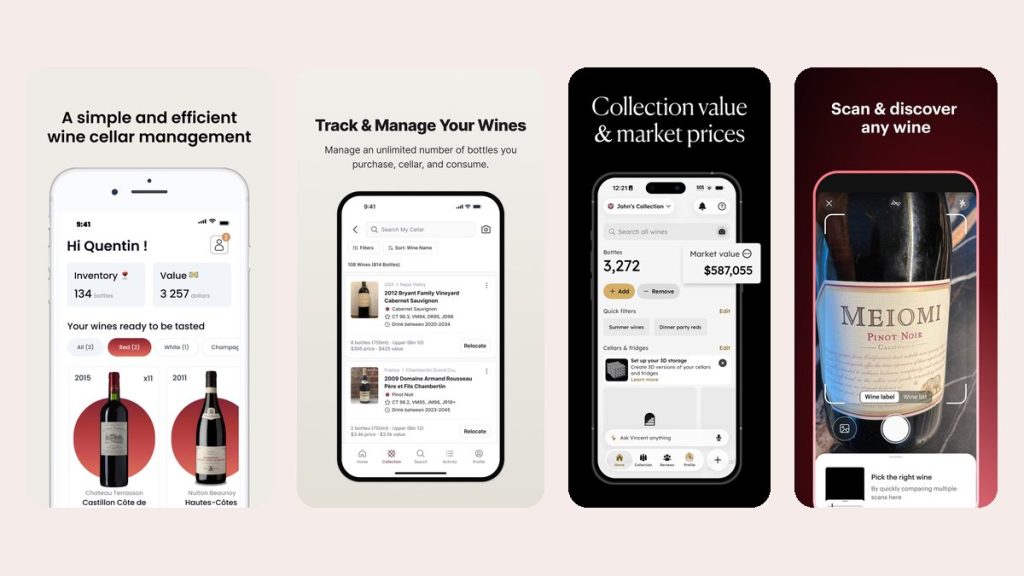
If you want an app, our wine cellar app comparison looks at Oeni, CellarTracker, InVintory, Vivino and others, with what each does for free. CellarTracker has the largest community of tasting notes; InVintory offers a free tier without a bottle limit; Vivino is a scanner and marketplace first. For a visual cellar map, drinking phases and value tracking in one place, we point most home collectors to Oeni, our paying partner.
Guides in this section
- Best Wine Cellar Apps in 2026: Oeni, CellarTracker, InVintory and Vivino Compared
- CellarTracker Alternatives: What Else to Use for Your Cellar
- How Long to Age Wine: A Drinking Window Chart by Style
- How to Start a Wine Collection: A Tested Guide (with a 1,000-Euro Cellar)
- Oeni Promo Code: VINABOX, 3 Months Free and 40% Off
- Oeni Review: A Wine Cellar App Tested on Our Own Cellar
- Wine Inventory Spreadsheet: Build One in Excel or Google Sheets
Related guides
- How to store wine at home
- How long wine lasts after opening
- Wine serving temperature by style
- How to decant wine
Sources and further reading
References checked November 8, 2026:
- WSET: ideal serving temperatures and tips for wine storage
- Oeni on the US App Store
- CellarTracker on the US App Store
- InVintory on the US App Store
Image credits: featured photo by PattayaPatrol, Wikimedia Commons, CC BY-SA 4.0, cropped. App screenshots: official App Store listings of Oeni, CellarTracker, InVintory and Vivino (US store, November 2026).
Frequently asked questions about managing a wine cellar
How many bottles do you need before a cellar app is worth it?
There is no fixed number, but around 50 bottles, or as soon as you store wine in more than one place, a list in your head stops working. Below that, a spreadsheet or a notebook does the job.
What is the best way to organize a wine cellar?
By drinking window rather than by region: a "drink now" shelf at the front, long-term bottles in the coolest and quietest spot, and numbered racks so every bottle has an address in your inventory.
How do I know when a wine is ready to drink?
Start with the producer's recommendation, then critics' drinking windows, then your own notes from earlier bottles of the same wine. Most everyday wines are best within one to three years of the vintage.
Can I keep my cellar inventory in Excel?
Yes. One row per wine with the fields listed above works well up to about a hundred bottles. Most cellar apps can import a spreadsheet if you switch later.
Do I need a real cellar to manage a wine collection?
No. The method is the same for a wine fridge, a closet or boxes under a bed. What matters is a stable, cool and dark spot, and a list you keep up to date.